

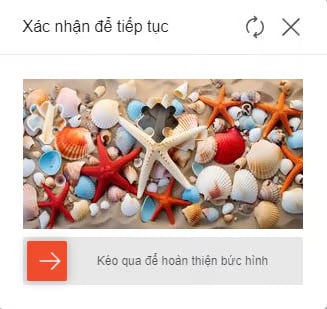
Example of Shopee slider captcha
ShopeeSliderWebTask supports two modes:- Regular slider — drag horizontally (returns
endcoordinates). - Undetermined trajectory (
typeCaptcha = "rotate") — drag along an arbitrary path (returnspoint).
1a. Create task — Regular slider
Request
POST https://api.omocaptcha.com/v2/createTask
| Parameter | Type | Required | Description |
|---|---|---|---|
clientKey | String | ✅ | Client API key |
task.type | String | ✅ | Captcha service class name (ShopeeSliderWebTask) |
task.imageBase64s | Array of String | ✅ | Array of 2 base64 strings: [mask image, background image]   |
Code samples
Response
Success:errorId = 0 and taskId on success.
1b. Create task — Undetermined trajectory
Used when the captcha requires dragging along an arbitrary path (not restricted to horizontal). AddtypeCaptcha = "rotate".
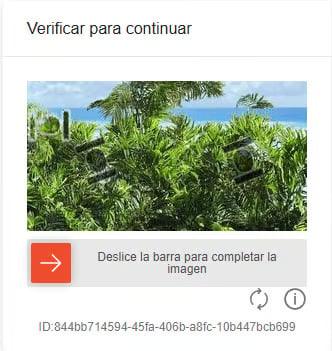
Example of Shopee undetermined-trajectory captcha
Request
POST https://api.omocaptcha.com/v2/createTask
| Parameter | Type | Required | Description |
|---|---|---|---|
clientKey | String | ✅ | Client API key |
task.type | String | ✅ | Captcha service class name (ShopeeSliderWebTask) |
task.typeCaptcha | String | ✅ | Captcha type, value: rotate |
task.imageBase64s | Array of String | ✅ | Array of 2 base64 strings: [mask image, background image]  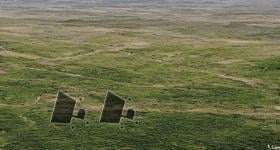 |
Code samples
Response
Success:errorId = 1 and the corresponding errorCode. See the Error codes list.
2a. Get task result — Regular slider
Request
POST https://api.omocaptcha.com/v2/getTaskResult
Response
Success:2b. Get task result — Undetermined trajectory
Request
POST https://api.omocaptcha.com/v2/getTaskResult
Response
Success:
Processing:
errorId = 0 and status = processing. Wait 2 seconds then retry.
Failure:
errorId = 1. See details at Error codes.