> ## Documentation Index
> Fetch the complete documentation index at: https://docs.omocaptcha.com/llms.txt
> Use this file to discover all available pages before exploring further.
# TiktokRotateWebTask
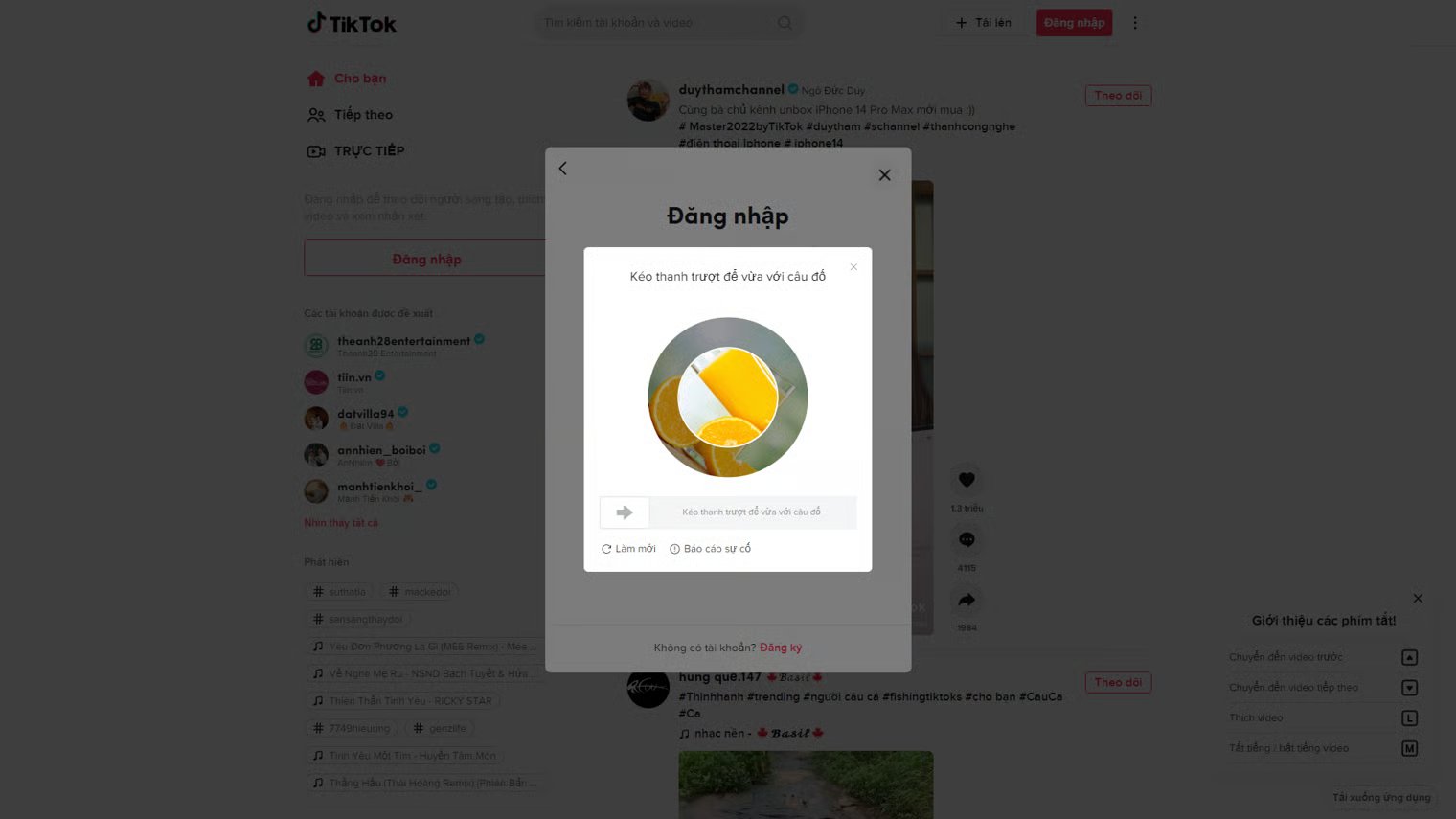
> Solve Tiktok rotate image captcha on the web.
Rotate-on-web is a common Tiktok captcha challenge. The user must rotate the inner image so it aligns with the outer image.
 ## 1. Create task
### Request
`POST https://api.omocaptcha.com/v2/createTask`
| Parameter | Type | Required | Description |
| ------------------- | --------------- | :------: | ---------------------------------------------------------- |
| `clientKey` | String | ✅ | Your OMOCaptcha API key |
| `task.type` | String | ✅ | Captcha service class name: `TiktokRotateWebTask` |
| `task.imageBase64s` | Array of String | ✅ | Array of 2 base64 strings: `[inside image, outside image]` |
`imageBase64s` must be a **2-element array in this exact order**: first element is the **inside** image, second element is the **outside** image. Do not include the `data:image/...;base64,` prefix.
### Image types
| Image type | Image |
| ------------------------------------ | ----------------------------------------------------------------------------------------------------------------------------------------------------------------------------------------------------------------------------------------------------------------------------------------------------------------------------------------------------------------------------------------------------------------------------------------------------------------------------------------------------------------------------------------------------------------------------------------------------------------------------------------------------------------------------------------------------------------------------------------------------------------------------------------------------------------------------------------------------------------------------------------------------------------------------------------------------------------------------------------------------------------------------------------------------------------------------------------------------------------------------------------------------------------------------------------------------------------------------------------------------------------------------------------------------------------------------------------------------------------------------------------------------------------------------------------------------------------- |
| **Image inside** — the rotating disc |
## 1. Create task
### Request
`POST https://api.omocaptcha.com/v2/createTask`
| Parameter | Type | Required | Description |
| ------------------- | --------------- | :------: | ---------------------------------------------------------- |
| `clientKey` | String | ✅ | Your OMOCaptcha API key |
| `task.type` | String | ✅ | Captcha service class name: `TiktokRotateWebTask` |
| `task.imageBase64s` | Array of String | ✅ | Array of 2 base64 strings: `[inside image, outside image]` |
`imageBase64s` must be a **2-element array in this exact order**: first element is the **inside** image, second element is the **outside** image. Do not include the `data:image/...;base64,` prefix.
### Image types
| Image type | Image |
| ------------------------------------ | ----------------------------------------------------------------------------------------------------------------------------------------------------------------------------------------------------------------------------------------------------------------------------------------------------------------------------------------------------------------------------------------------------------------------------------------------------------------------------------------------------------------------------------------------------------------------------------------------------------------------------------------------------------------------------------------------------------------------------------------------------------------------------------------------------------------------------------------------------------------------------------------------------------------------------------------------------------------------------------------------------------------------------------------------------------------------------------------------------------------------------------------------------------------------------------------------------------------------------------------------------------------------------------------------------------------------------------------------------------------------------------------------------------------------------------------------------------------- |
| **Image inside** — the rotating disc | 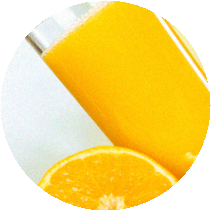 |
| **Image outside** — the fixed ring |
|
| **Image outside** — the fixed ring |  |
```bash cURL theme={null}
curl -X POST https://api.omocaptcha.com/v2/createTask \
-H "Content-Type: application/json" \
-d '{
"clientKey": "OMO_API_KEY",
"task": {
"type": "TiktokRotateWebTask",
"imageBase64s": [
"BASE64_INSIDE_BODY_HERE",
"BASE64_OUTSIDE_BODY_HERE"
]
}
}'
```
```javascript Node.js theme={null}
const axios = require('axios');
const res = await axios.post('https://api.omocaptcha.com/v2/createTask', {
clientKey: 'OMO_API_KEY',
task: {
type: 'TiktokRotateWebTask',
imageBase64s: [
'BASE64_INSIDE_BODY_HERE',
'BASE64_OUTSIDE_BODY_HERE'
]
}
});
console.log(res.data);
```
```python Python theme={null}
import requests
res = requests.post('https://api.omocaptcha.com/v2/createTask', json={
'clientKey': 'OMO_API_KEY',
'task': {
'type': 'TiktokRotateWebTask',
'imageBase64s': [
'BASE64_INSIDE_BODY_HERE',
'BASE64_OUTSIDE_BODY_HERE'
]
}
})
print(res.json())
```
```php PHP theme={null}
'OMO_API_KEY',
'task' => [
'type' => 'TiktokRotateWebTask',
'imageBase64s' => [
'BASE64_INSIDE_BODY_HERE',
'BASE64_OUTSIDE_BODY_HERE'
]
]
]));
$response = curl_exec($ch);
curl_close($ch);
echo $response;
```
### Response
**Success:**
```json theme={null}
{
"errorId": 0,
"taskId": "49f9f60a-c809-4af0-93c0-0409b72e67e0"
}
```
The server returns `errorId = 0` and a `taskId` on success.
**Failure:**
```json theme={null}
{
"errorId": 1,
"errorCode": "",
"errorDescription": ""
}
```
The server returns `errorId = 1` and an `errorCode` describing the error.
## 2. Get task result
### Request
`POST https://api.omocaptcha.com/v2/getTaskResult`
```json theme={null}
{
"clientKey": "OMO_API_KEY",
"taskId": "49f9f60a-c809-4af0-93c0-0409b72e67e0"
}
```
### Response
**Success:**
```json theme={null}
{
"errorId": 0,
"status": "ready",
"solution": {
"rotate": 0.76
}
}
```
The server returns `errorId = 0` and `status = ready`. Read the result from the `solution` field.
### Computing the slider drag position
The drag button can only move within a range equal to **the slider track length minus the button length**. The CAPTCHA system does not return raw pixel values — it returns a ratio called `solution` in the range **0 to 1** that represents the correct button position on the track.
To convert this ratio into an actual pixel position, use the formula:
```text theme={null}
targetX = (track length − button length) × (1 − solution)
```
The result is the **target X coordinate** the button should reach on the track — not an additional drag distance.
Example: if the track is **300px** long and the button is **40px** wide, the maximum travel is **260px**. When `solution = 0.76`, the target position is `260 × (1 − 0.76) = 62.4px`. This means the drag button should be positioned at roughly **62px** on the track to pass verification.
In short, the system uses a ratio to stay layout-agnostic, and converting to pixels gives you the exact drag position for the button.
```javascript Slider position sample theme={null}
// ===============================
// SLIDER CAPTCHA DRAG POSITION SAMPLE
// ===============================
// Get the slider button
const button = document.querySelector('.slider-button');
if (!button) {
console.error('Slider button not found');
return;
}
// Get the track (direct parent of the button)
const track = button.parentElement;
if (!track) {
console.error('Slider track not found');
return;
}
// Track and button widths (px)
const trackWidth = track.clientWidth;
const buttonWidth = button.clientWidth;
// Maximum travel distance for the button
const maxTranslateX = trackWidth - buttonWidth;
// Solution returned by the CAPTCHA system (ratio 0 → 1)
const solution = 0.76;
// Convert the ratio to a pixel position
// Formula: (track length − button length) × (1 − solution)
const targetX = maxTranslateX * (1 - solution);
// Move the button to the target position
button.style.transform = `translateX(${targetX}px)`;
// ===============================
// NOTES:
// - solution: correct-position ratio
// - targetX: target X coordinate of the button
// - Not an additional drag distance
// ===============================
```
**Processing:**
```json theme={null}
{
"status": "processing",
"errorId": 0,
"errorCode": "",
"errorDescription": ""
}
```
The server returns `errorId = 0` and `status = processing` — the request is still being processed. Wait **2 seconds** and try again.
**Failure:**
```json theme={null}
{
"errorId": 1,
"errorCode": "ERROR_JOB_STATUS",
"errorDescription": "Job failed",
"status": "fail",
"solution": {}
}
```
The server returns `errorId = 1` along with an `errorCode` describing the failure.
|
```bash cURL theme={null}
curl -X POST https://api.omocaptcha.com/v2/createTask \
-H "Content-Type: application/json" \
-d '{
"clientKey": "OMO_API_KEY",
"task": {
"type": "TiktokRotateWebTask",
"imageBase64s": [
"BASE64_INSIDE_BODY_HERE",
"BASE64_OUTSIDE_BODY_HERE"
]
}
}'
```
```javascript Node.js theme={null}
const axios = require('axios');
const res = await axios.post('https://api.omocaptcha.com/v2/createTask', {
clientKey: 'OMO_API_KEY',
task: {
type: 'TiktokRotateWebTask',
imageBase64s: [
'BASE64_INSIDE_BODY_HERE',
'BASE64_OUTSIDE_BODY_HERE'
]
}
});
console.log(res.data);
```
```python Python theme={null}
import requests
res = requests.post('https://api.omocaptcha.com/v2/createTask', json={
'clientKey': 'OMO_API_KEY',
'task': {
'type': 'TiktokRotateWebTask',
'imageBase64s': [
'BASE64_INSIDE_BODY_HERE',
'BASE64_OUTSIDE_BODY_HERE'
]
}
})
print(res.json())
```
```php PHP theme={null}
'OMO_API_KEY',
'task' => [
'type' => 'TiktokRotateWebTask',
'imageBase64s' => [
'BASE64_INSIDE_BODY_HERE',
'BASE64_OUTSIDE_BODY_HERE'
]
]
]));
$response = curl_exec($ch);
curl_close($ch);
echo $response;
```
### Response
**Success:**
```json theme={null}
{
"errorId": 0,
"taskId": "49f9f60a-c809-4af0-93c0-0409b72e67e0"
}
```
The server returns `errorId = 0` and a `taskId` on success.
**Failure:**
```json theme={null}
{
"errorId": 1,
"errorCode": "",
"errorDescription": ""
}
```
The server returns `errorId = 1` and an `errorCode` describing the error.
## 2. Get task result
### Request
`POST https://api.omocaptcha.com/v2/getTaskResult`
```json theme={null}
{
"clientKey": "OMO_API_KEY",
"taskId": "49f9f60a-c809-4af0-93c0-0409b72e67e0"
}
```
### Response
**Success:**
```json theme={null}
{
"errorId": 0,
"status": "ready",
"solution": {
"rotate": 0.76
}
}
```
The server returns `errorId = 0` and `status = ready`. Read the result from the `solution` field.
### Computing the slider drag position
The drag button can only move within a range equal to **the slider track length minus the button length**. The CAPTCHA system does not return raw pixel values — it returns a ratio called `solution` in the range **0 to 1** that represents the correct button position on the track.
To convert this ratio into an actual pixel position, use the formula:
```text theme={null}
targetX = (track length − button length) × (1 − solution)
```
The result is the **target X coordinate** the button should reach on the track — not an additional drag distance.
Example: if the track is **300px** long and the button is **40px** wide, the maximum travel is **260px**. When `solution = 0.76`, the target position is `260 × (1 − 0.76) = 62.4px`. This means the drag button should be positioned at roughly **62px** on the track to pass verification.
In short, the system uses a ratio to stay layout-agnostic, and converting to pixels gives you the exact drag position for the button.
```javascript Slider position sample theme={null}
// ===============================
// SLIDER CAPTCHA DRAG POSITION SAMPLE
// ===============================
// Get the slider button
const button = document.querySelector('.slider-button');
if (!button) {
console.error('Slider button not found');
return;
}
// Get the track (direct parent of the button)
const track = button.parentElement;
if (!track) {
console.error('Slider track not found');
return;
}
// Track and button widths (px)
const trackWidth = track.clientWidth;
const buttonWidth = button.clientWidth;
// Maximum travel distance for the button
const maxTranslateX = trackWidth - buttonWidth;
// Solution returned by the CAPTCHA system (ratio 0 → 1)
const solution = 0.76;
// Convert the ratio to a pixel position
// Formula: (track length − button length) × (1 − solution)
const targetX = maxTranslateX * (1 - solution);
// Move the button to the target position
button.style.transform = `translateX(${targetX}px)`;
// ===============================
// NOTES:
// - solution: correct-position ratio
// - targetX: target X coordinate of the button
// - Not an additional drag distance
// ===============================
```
**Processing:**
```json theme={null}
{
"status": "processing",
"errorId": 0,
"errorCode": "",
"errorDescription": ""
}
```
The server returns `errorId = 0` and `status = processing` — the request is still being processed. Wait **2 seconds** and try again.
**Failure:**
```json theme={null}
{
"errorId": 1,
"errorCode": "ERROR_JOB_STATUS",
"errorDescription": "Job failed",
"status": "fail",
"solution": {}
}
```
The server returns `errorId = 1` along with an `errorCode` describing the failure.